
Most of our products include a solid set of built-in tools: translations, advanced logs, task queues, access control, or media library. And while each of those is already well integrated into everyday use, there has been a growing demand for something that goes beyond functionality alone: the ability to adjust how the module looks.
Until now, every interface has followed the same predefined style. It did its job well in ensuring consistency, though any visual customization meant relying on time-consuming CSS overrides. This required not only manual effort, but above all a certain level of technical familiarity.
The brand-new Theme management tool removes that barrier. Now available in Proxmox VE VPS & Cloud For WHMCS – with the next WHMCS modules to follow soon – it lets you fine-tune the visual appearance directly within the module. Whether you want the interface to match your branding or make it more comfortable to interact with, you can now do all that without ever touching the line of code.
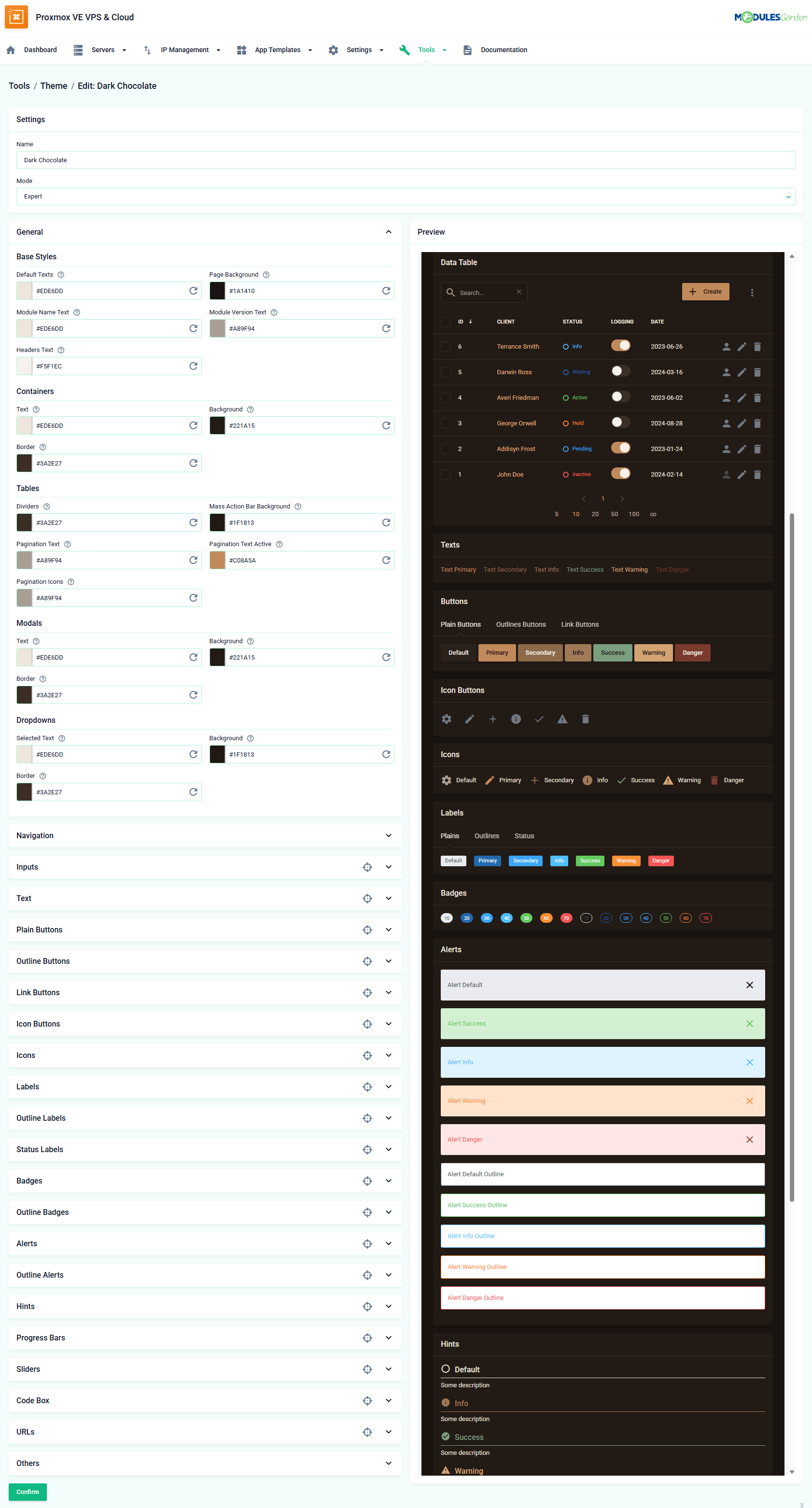
Interface Customization
The Theme section puts you in full control of the module’s appearance. Colors, buttons, forms, alerts, and navigation elements can all be adjusted to suit your needs. You can define your own presets and apply them wherever required.
A particularly useful aspect of the new toolkit is the ability to set a separate theme for the client and admin areas. In practice, you can approach both spaces with a different focus:
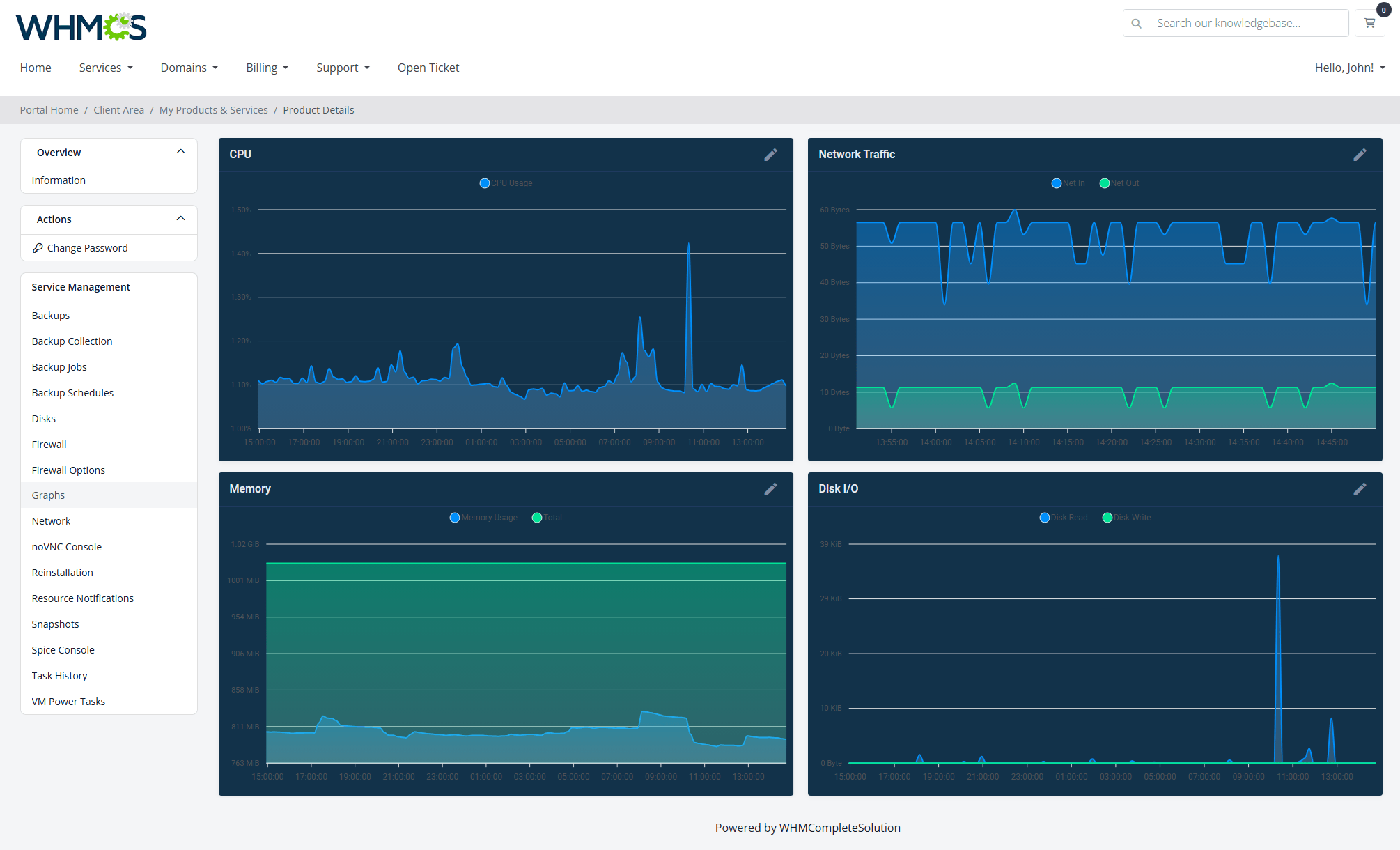
The client area is where the interface shapes first impressions and influences how your services are understood. A modern look with stronger visual hierarchy, like a softer dark mode that doesn’t feel too heavy, can improve usability, reinforce your brand, and ultimately make it easier for customers to engage with your offer.
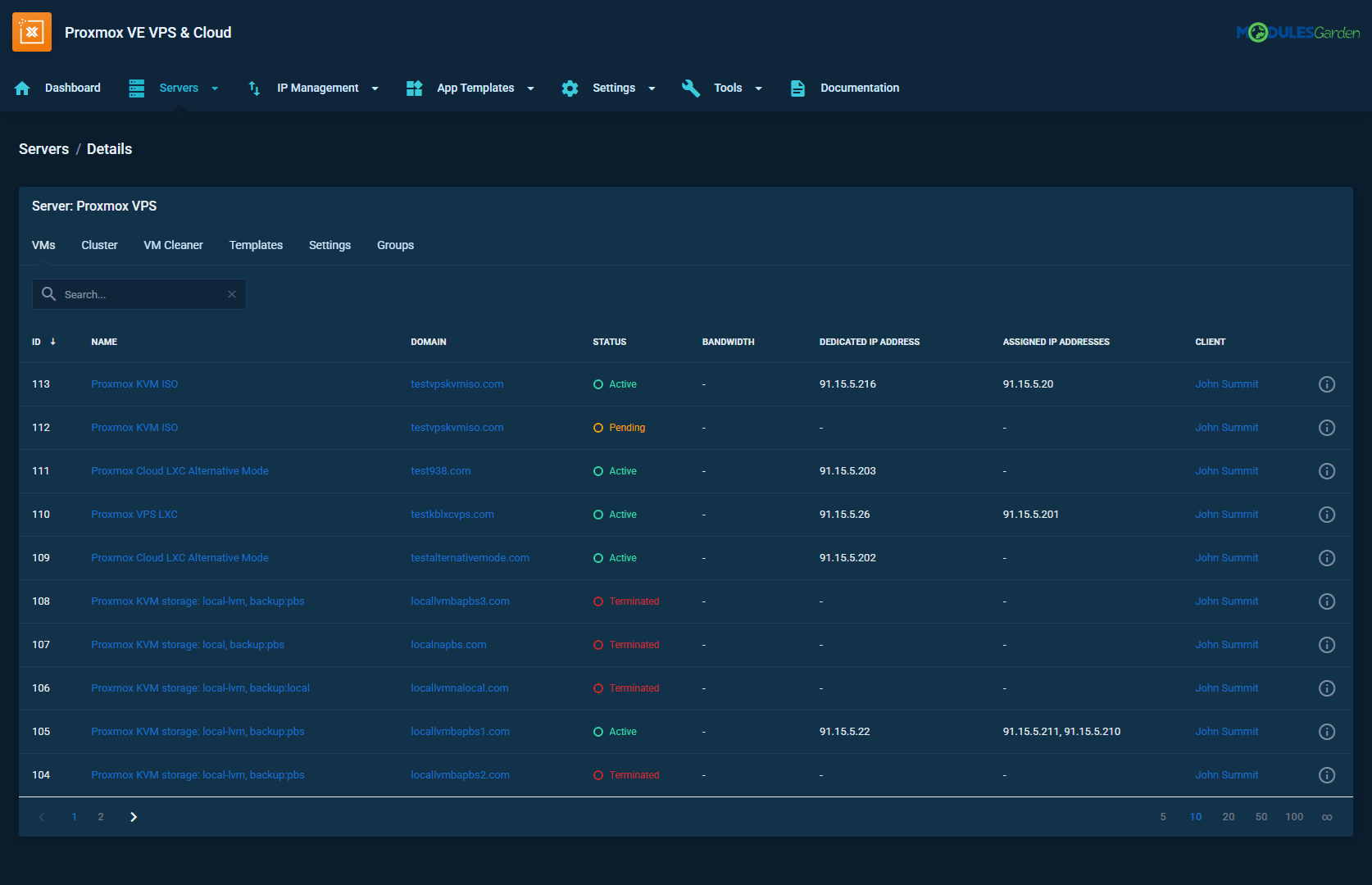
The admin area is where all of this turns into everyday efficiency. By tailoring this environment to your team’s preferences – with better contrast, clearer accents, or a look built around your favorite WHMCS template – you create a workspace that is easier to navigate, reduces eye strain, and as a result supports faster, more confident decision-making.
Two Modes with Live Preview
You can switch between two different levels of customization, depending on how far you want to go:
- Basic Mode is best if you just want to make quick adjustments and move on.
- Expert Mode gives you more detailed control, so you can fine-tune specific elements if needed.
Whichever mode you choose, there is a built-in preview, which makes it much easier to experiment with the visual side of our WHMCS modules.
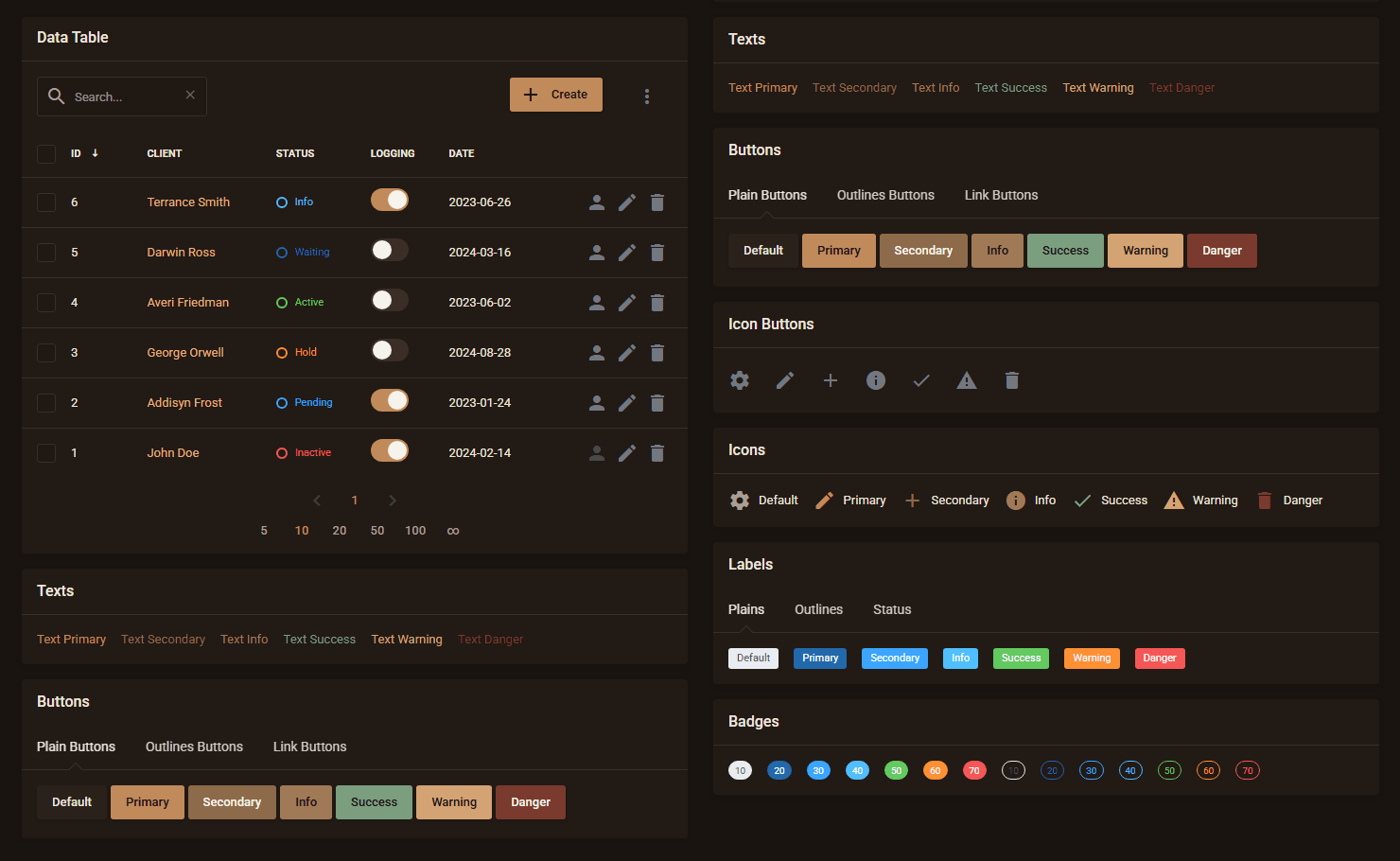
As you change settings, you immediately see the result. No saving, no refreshing, no guessing how something will look after applying it. It makes a real difference when you are testing different combinations or adjusting details.
Go further with customization
If you would like to dive deeper into the wide range of ways you can tailor the interface, our documentation walks you through all available options.
Theme Presets
Themes can be saved as Theme Presets, so you don’t have to start from scratch every time. You can export, import, and finally reuse them whenever needed.
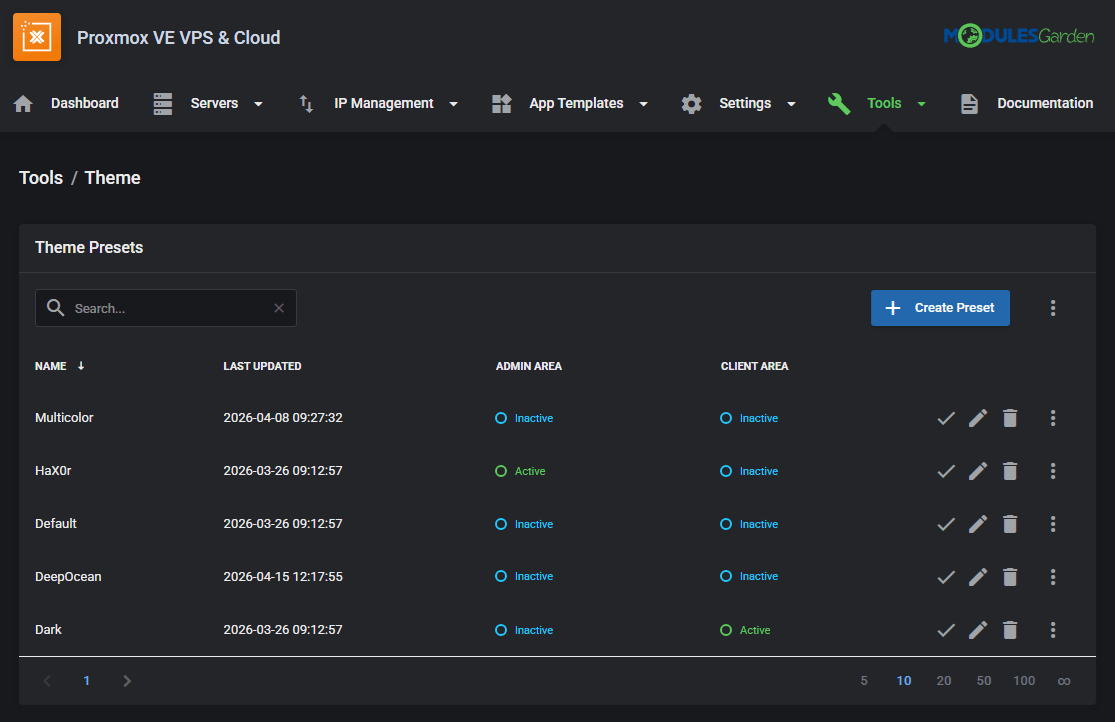
The system already includes some built-in presets: the default ModulesGarden theme, a pre-configured dark version, and a single custom style. Each can be used as is, modified, or copied to create your own variation.
Something to look forward to
As the Theme tool expands to other modules, presets will become reusable across ModulesGarden products to let you maintain a consistent look, match the interface with your website, or align it with specific brand colors.
Designed for Everyday Work
The Theme system gives you more control over how your offer is presented, allowing you to subtly guide customers toward what deserves the most attention. Internally, when the interface fits both your working style and visual preferences, complex tasks are easier to navigate and tools are more intuitive to work with. Finally, a customized environment creates a more refined overall experience, helping you stand out and strengthen your overall brand presence.
All in all, this new toolkit introduces a whole new source of flexibility across our WHMCS modules. Proxmox VE VPS & Cloud For WHMCS is the first to get it, but most certainly not the last. Support for the Theme management tool will be added to other products very soon, so stay tuned!


Recent Comments