
Proxmox VE VPS & Cloud For WHMCS 4.4.0 is now available, introducing a new Automations tool, centralized server connection management, and further improvements across the module.
Not so long ago, we took a broader look at the Proxmox side of ModulesGarden and our journey as an official Proxmox Solution Provider. This time, we are getting back to the product itself.
Proxmox VE VPS & Cloud For WHMCS 4.4.0 is here, and automation takes center stage.
The new release introduces an entirely new Automations tool designed to connect events occurring in WHMCS and the module with predefined follow-up actions. Alongside it comes a new Connection Details tool for centralized SSH access management, smarter control over virtual machine reboots after package changes, and a collection of smaller improvements aimed at making everyday Proxmox management more flexible.
Let’s see what has changed.
Turn Events Into Automated Workflows
The biggest addition in version 4.4.0 is the new Automations tool.
Instead of treating individual module operations as isolated events, from now on, administrators can build workflows in which a selected event automatically launches a predefined action.
A virtual machine is created, a service changes, and the task finishes. One of these events can trigger the next operation without requiring an administrator to step in manually.
- Execute a command directly inside a virtual machine through the Guest Agent
- Execute a command directly on a selected Proxmox node
- Resize the master disk
- Run a package change
- Create a WHMCS admin to-do item
- Open a support ticket
- Send email notifications to administrators or customers
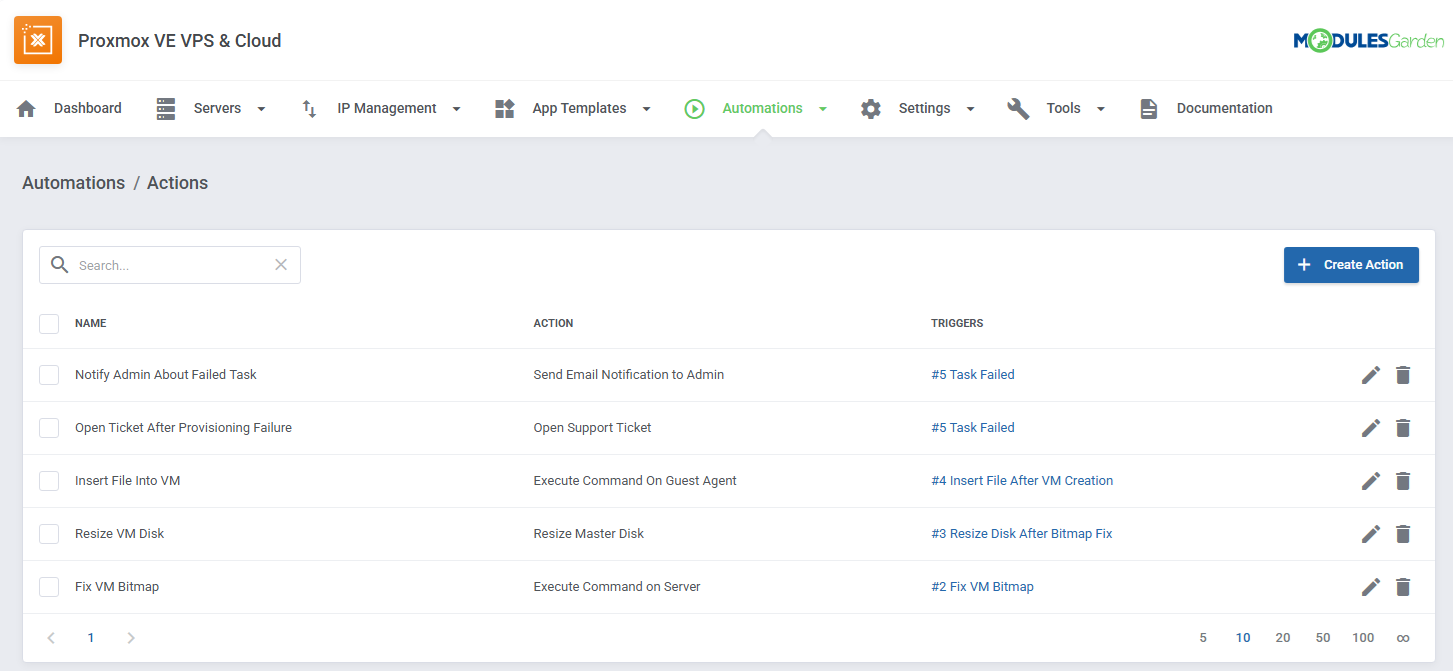
This opens the door to workflows that go well beyond standard provisioning.
For example, you can execute a command directly inside a newly created VM through the Guest Agent, run a command on the appropriate Proxmox node, perform another operation when a selected task finishes, or notify the appropriate person when a particular event occurs.
More Control Over When Actions Run
Automations can be refined further through trigger settings.
You can restrict triggers to selected task types, use log contents as an additional condition, introduce an action delay, or decide whether another matching automation should overwrite the pending action.
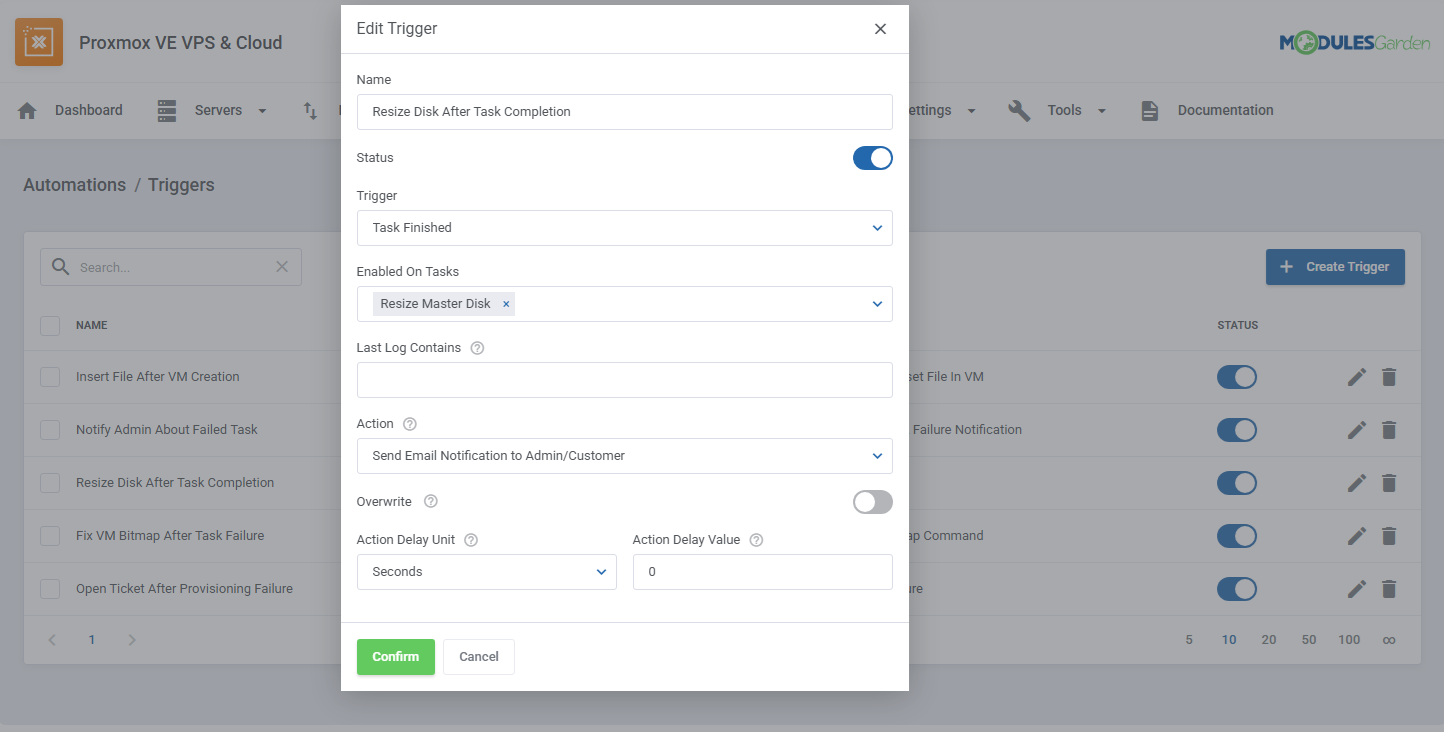
Actions also include Action Access Mode, with whitelist and blacklist options based on customer groups. This provides another layer of control over which clients selected actions may apply to.
Administrators can create customer groups directly within the Automations section and assign selected WHMCS clients to them.
Explore Automations Tool Documentation
Centralized Connection Details For Proxmox Servers
Automation involving server-side commands needs a reliable way to identify a server and access it. This is where another new tool introduced in version 4.4.0 comes in.
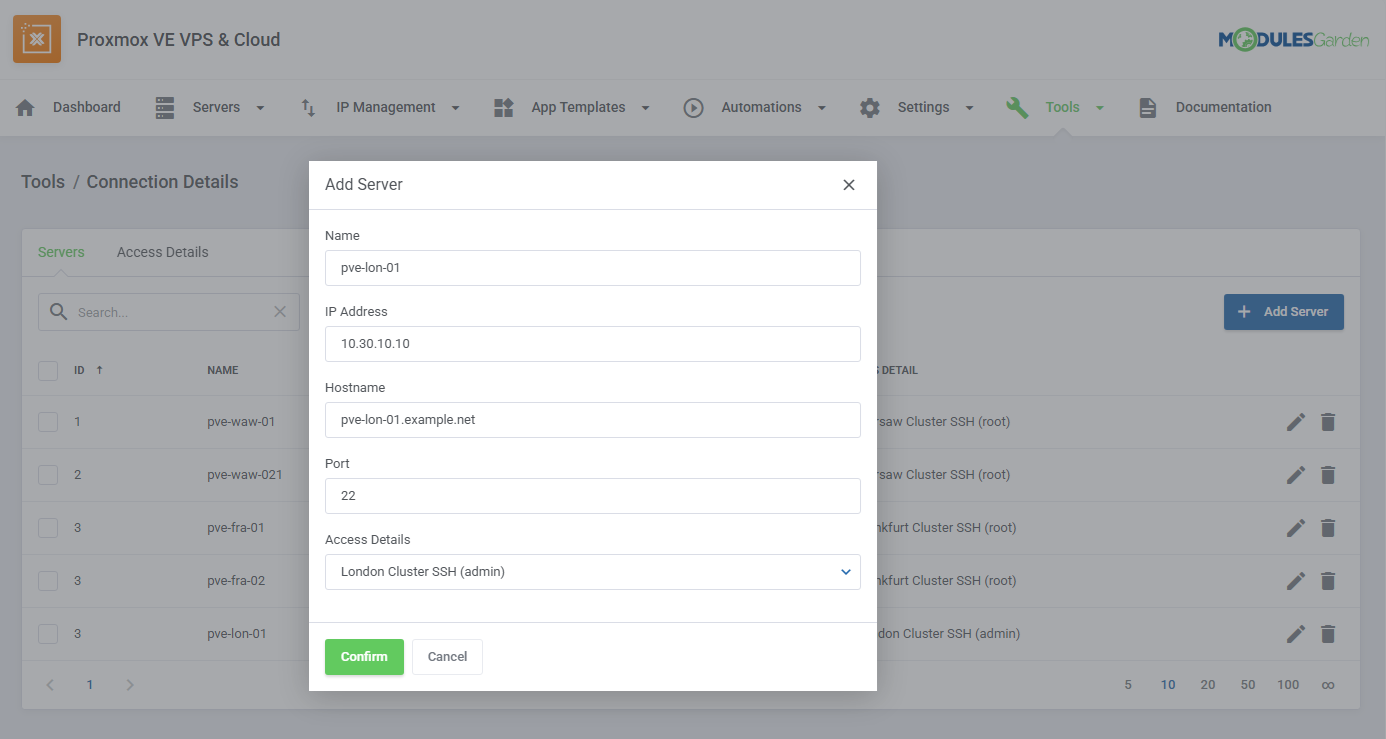
Connection Details section provides a central place for defining SSH access used by the module.
One place for reusable server access:
Access Details — username, password, public and private SSH keys, and optional passphrase
Servers — node name, IP address or hostname, port, and assigned access profile
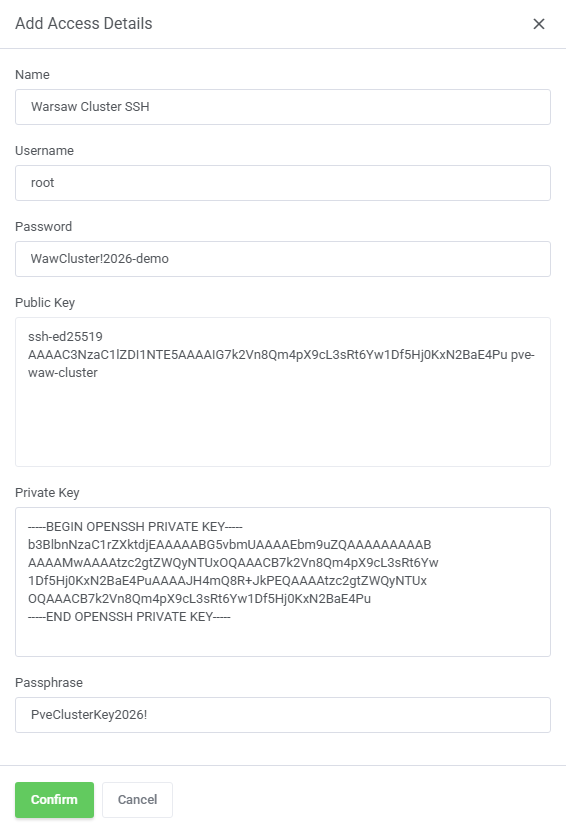
This separation means the same credentials do not need to be entered separately for every server. Multiple nodes can share the same authentication profile where appropriate.
These server definitions can then be used by the Execute Command on Server automation action to run commands directly on the corresponding Proxmox node.
Reboot Only When The Configuration Requires It
Package changes are another area where version 4.4.0 introduces more precise control.
The new Reboot Triggers on Package Change settings allow administrators to specify which configuration changes should result in a VM reboot after a package change.
Separate settings are available for KVM and LXC, reflecting the different configuration options supported by each virtualization type.
The module compares the VM configuration before and after a package change.
The module reboots the VM only when a changed parameter matches one of the configured KVM or LXC reboot triggers.
If you select no reboot triggers, the module preserves the existing behavior and always reboots the VM after the package change.
It is a relatively small setting, but one that can make automated package changes considerably less disruptive.
More Improvements Across Version 4.4.0
The three areas above represent the most visible additions, but Proxmox VE VPS & Cloud For WHMCS 4.4.0 includes further improvements and fixes across the module.
Together, they continue the direction we have been taking with the 4.x generation: moving more infrastructure operations into structured tools, reducing repetitive configuration, and giving administrators more control over how individual processes are executed.
For the complete technical breakdown of version 4.4.0, including all improvements and resolved issues, visit the product changelog:
See the complete Proxmox VE VPS & Cloud changelog →
Automate More, Manage Less
Version 4.4.0 is not about adding automation simply for the sake of it.
The new tools are meant to connect operations that administrators already perform: react to an event, run the appropriate task, access the correct server, and continue the workflow.
Automate More, Manage Less
Automations provide the logic.
Connection Details provide reusable server access.
Reboot Triggers help avoid unnecessary interruptions.
Together, they give administrators more room to decide what should happen, when it should happen, and where it should happen.
And with Proxmox environments becoming an increasingly important part of the hosting infrastructure managed through WHMCS, that is exactly the kind of control we want the module to provide.
Explore Proxmox VE VPS & Cloud For WHMCS
The post Proxmox VE VPS & Cloud For WHMCS 4.4.0 – New Automations first appeared on ModulesGarden Blog.


Recent Comments